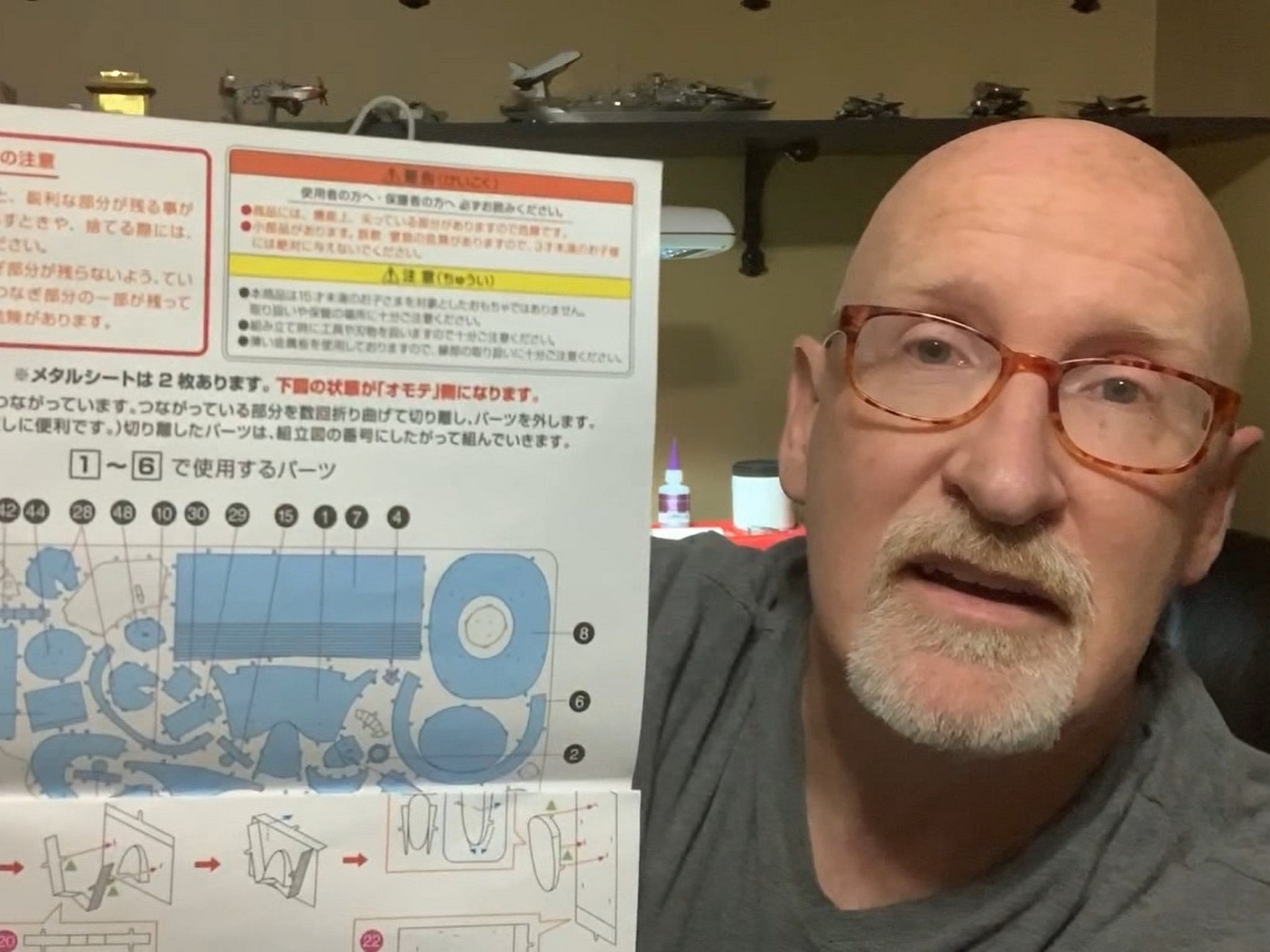
In this post I’ll provide you with a very easy way for you to read Chinese and Japanese instructions in 3D metal model kits sourced from other parts of the world.
[I’ve also made a video tutorial of this post. If you’d like to watch it, just scroll down to the bottom of this post and click “Play”.]
Opening your eyes to a bigger world of models
Most of us started out with 3D metal models by building some Metal Earth kits. They are fantastic. The quality is wonderful, they are widely available, and (something we can take for granted) all the instructions are in English! That’s good for those of us in the USA, and other English speaking countries.
And you can keep building from the Metal Earth range for a long time. There are so many different kits to choose from. BUT, sooner or later, as you advance in the hobby, you’re going to get interested in building other brands of kits. Kits that you can buy from overseas; places like China, Japan and Taiwan.
Here are a few of the most popular brands:
- Piececool
- Mu
- Tenyo
- Microworld
- Metal Brick
The great news is that these kits have become easier and easier to source. Websites and apps like AliExpress and even eBay make the process very simple and secure for credit card payments. [Also read my post: Where Can You Buy Metal Earth Models? (And Other Brands Too) ]
Tip: If you are looking for kits on Asian sites, try searching “3D metal puzzles”. That’s what they are often referred to as in those countries.
But there’s a catch …
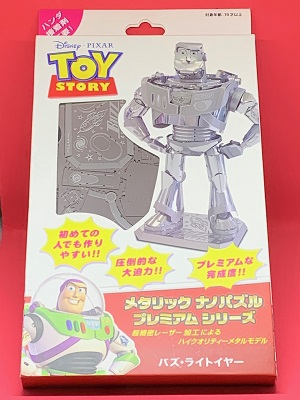 The instructions are in other languages. I could give you lots of examples; let me show you just one … the Buzz Lightyear kit by Tenyo, Japan. It’s a really great kit, and a fun project to build. The Disney Toy Story logo, however, is the only English wording you will find anywhere on the packaging and (more importantly) on the instruction sheets inside. Everything is in Japanese.
Now, the construction symbols are the same conventions as we’re used to with Metal Earth kits. The green triangles and blue circles that show you how to bend tabs, and so on. And the diagrams are mostly fairly clear, so you can usually muddle through. But there are occasions when the instructions printed at certain building steps are important, and following them closely can save you problems.
But how to read Chinese and Japanese instructions for 3D metal models? Are you going to spend the next year learning Chinese and Japanese? Thankfully, you don’t need to …
 The solution: Google Translate

Reading Chinese and Japanese instructions for 3D metal model kits is now super easy. And it’s completely free! You can literally be reading those Asian instructions 5 minutes from now.
All you need is a smartphone (iPhone or Android). Go to the app store and download the Google Translate app.
Choose your language
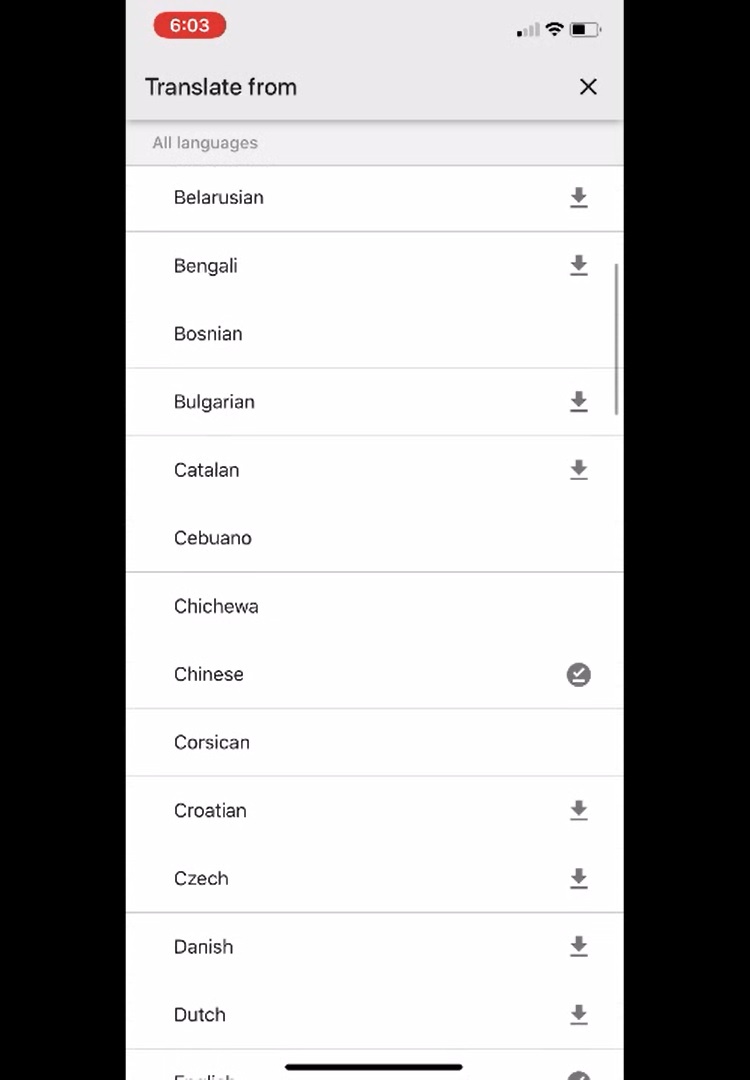 Inside the app you can choose from a long list of available languages. Choose which ones you want to download to your phone, and click on the small download symbol beside them.
For 3D metal modelers, I suggest you grab Chinese and Japanese to begin with. That’s all you need for 90% of the kits you’ll get from overseas. You can always download other languages later.
Once you’ve downloaded the languages you need, click the “x” in the top right hand corner to navigate back to the main screen.
Opening your phone’s camera
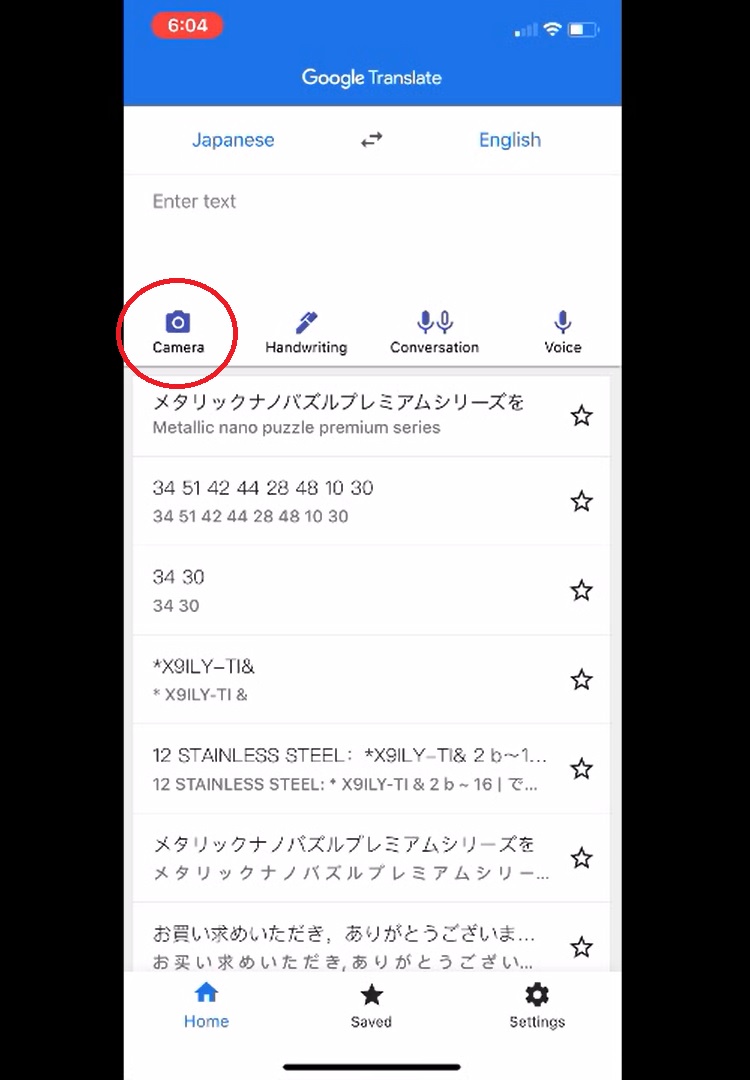 Now you’re ready to watch the app work it’s magic. Get your Chinese or Japanese instruction sheet ready, and then click on the camera button in app.
All that’s left to do is point your phone camera at any bit of foreign language that you want to read on your 3D metal model instruction sheet. The app translates it in real time, and you can read the English version right on your phone screen.
You might need to hold the phone still for a few moments while the camera focuses and the app sorts out the translation. But it really does work very well.
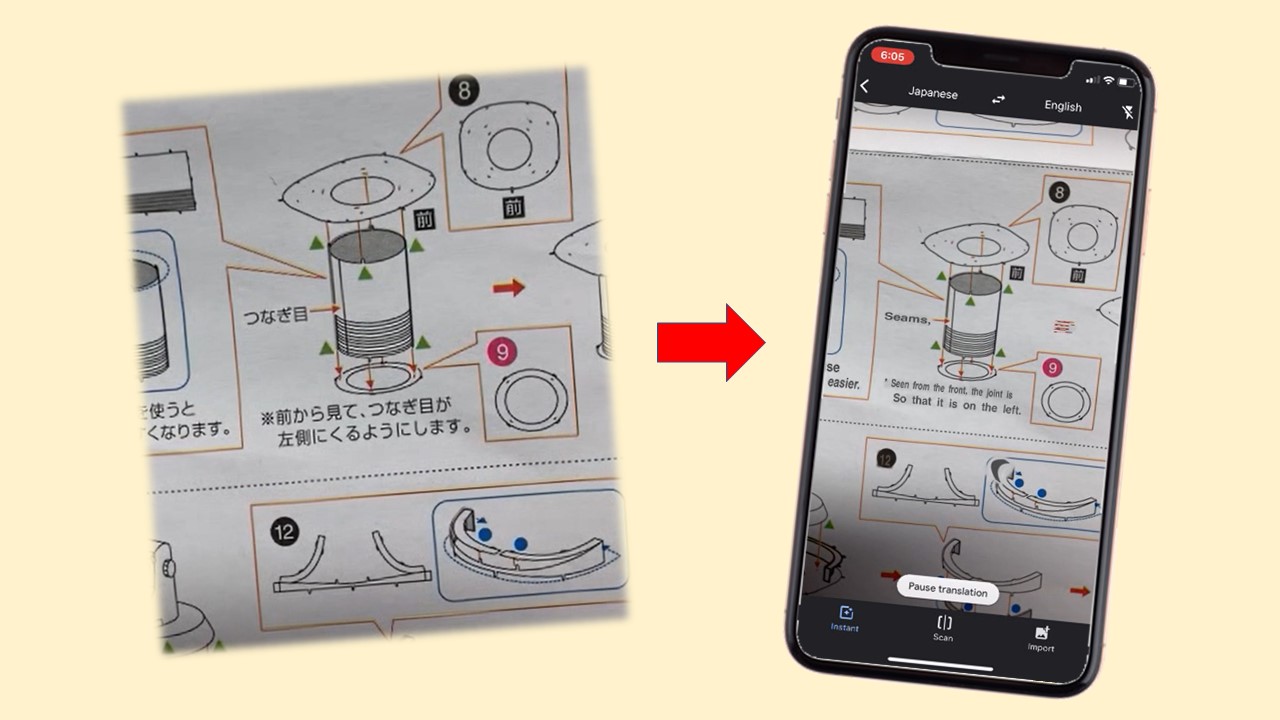
Below is a screenshot of a page from the Tenyo Buzz Lightyear instructions that shows a before and after view: Japanese and then the English produced by the app.
I hope this post has been helpful to you. I also made a companion tutorial video that walks you through it, and shows the app in action reading the Tenyo Japanese instruction sheet. Just click “Play” below to watch it.
If you have any questions or feedback, I’d love to hear from you. Leave a comment below.

If you do not have access to a smart phone or would prefer using a computer, here is how to translate foreign language instructions:
1) Scan or photograph the text
2) Open https://drive.google.com/drive/my-drive on computer
3) Upload file to Google drive
4) Right click on file and select Google Docs
5) Select machine readable text and use Cntl+C to copy
6) Search “translate” on browser to find translation service
Thanks so much, Rich!
Great info.